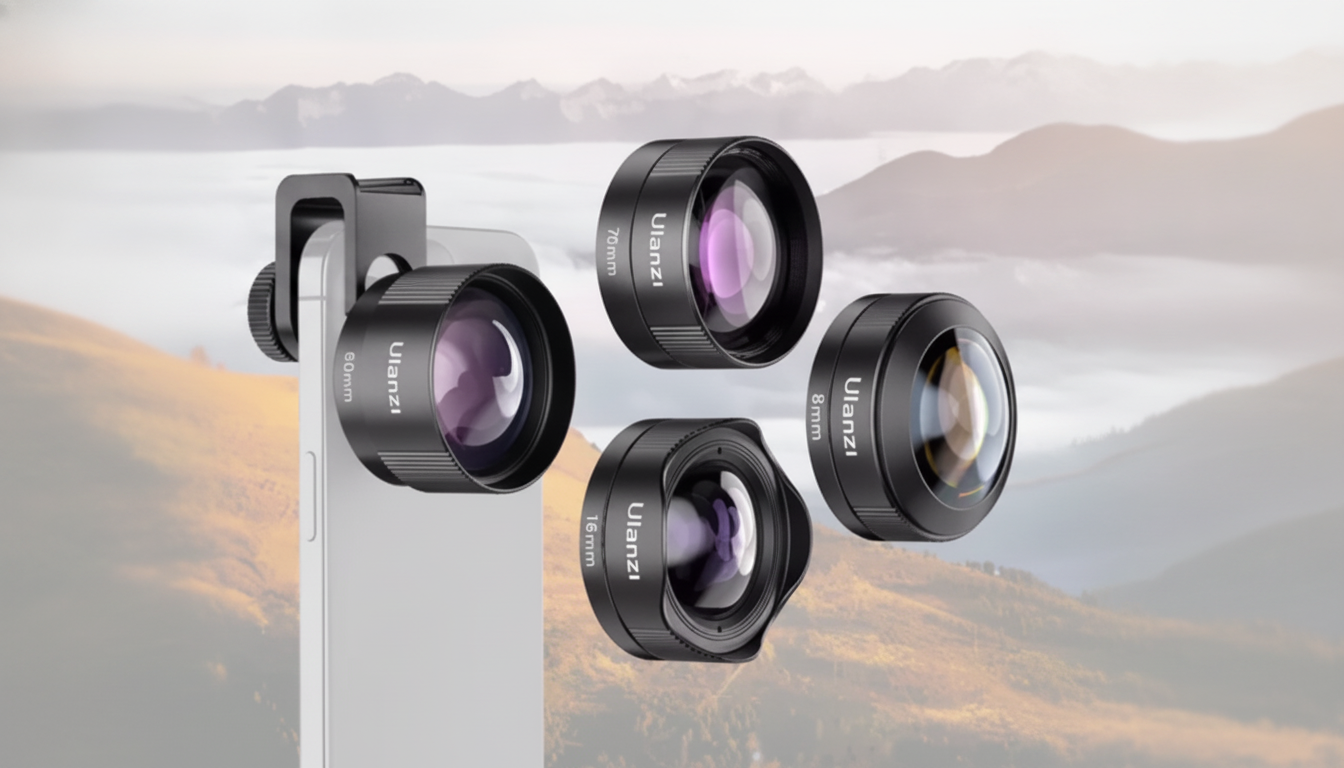
A universal lens kit can turn a phone into a flexible capture tool for travel, food, products, and everyday storytelling—without changing devices. The best results come from a simple formula: a secure mount that stays aligned, optics that stay clear in real-world light, and a few go-to lens styles that match how people actually shoot on phones (quick portraits, tight interiors, casual video, and detail shots).
Modern smartphones already include multiple built-in cameras, but add-on lenses can still expand what’s practical in the moment—especially when you want a specific look without switching devices or relying on heavy cropping.
For quick phone controls and shooting modes, Apple and Google’s camera guides are useful refreshers: Apple Support: Use the Camera app on iPhone and Google Pixel Phone Help: Take photos and videos.
Most universal kits focus on a few core focal styles. Think of them as “coverage tools”—one to fit more in, one to get closer, and optional lenses for specialty looks.
| Lens style | Best for | Common pitfalls | Simple fix |
|---|---|---|---|
| Wide angle | Landscapes, rooms, group photos | Soft edges, stretched faces at the corners | Keep faces near center; avoid extreme tilt |
| Macro | Details, textures, small products | Shallow focus, shaky blur | Use more light; brace phone; tap-to-focus carefully |
| Telephoto add-on | Distant subjects, stage/events | Handshake blur, reduced light | Stabilize with tripod; shoot in good light |
| Fisheye | Action, creative shots, tight spaces | Strong distortion, vignetting | Center the subject; check alignment before shooting |
| Polarizing/filter | Water/glass, outdoor highlights | Uneven effect on wide shots | Rotate filter slowly; avoid ultra-wide extremes |
“Universal” usually refers to the mount, not magic. Real compatibility comes from stable placement and clean alignment over the active camera.
Add-on lenses can look great, but they’re also easy to misjudge in harsh lighting or rushed setups. A few fundamentals help keep shots crisp and consistent.
Macro is where small differences in technique matter most. For a clear overview of close-up fundamentals, see Adobe: Basics of macro photography.
If the goal is simple versatility—wider scenes, closer details, and more controlled framing—a single kit can cover most everyday needs without complicating your workflow. The Universal Smartphone Camera Lens Kit is a compact approach for expanding your phone’s shooting options while keeping everything portable for travel, product photos, and casual video.
Often yes with thinner cases, but thick cases can prevent proper alignment or keep the lens too far from the camera. If you see dark corners or uneven sharpness, try removing the case and re-mounting for a cleaner fit.
That’s usually vignetting from slight misalignment or the add-on lens sitting too far from the phone camera. Re-center the mount, confirm you’re using the main camera, and avoid combining the add-on with digital zoom.
Add-on lenses mainly change field of view and focusing behavior (wide, close, or stylized perspective). Video quality still depends heavily on optics, lighting, and stability—so steadier support typically makes a bigger difference than the lens alone.





Leave a comment